


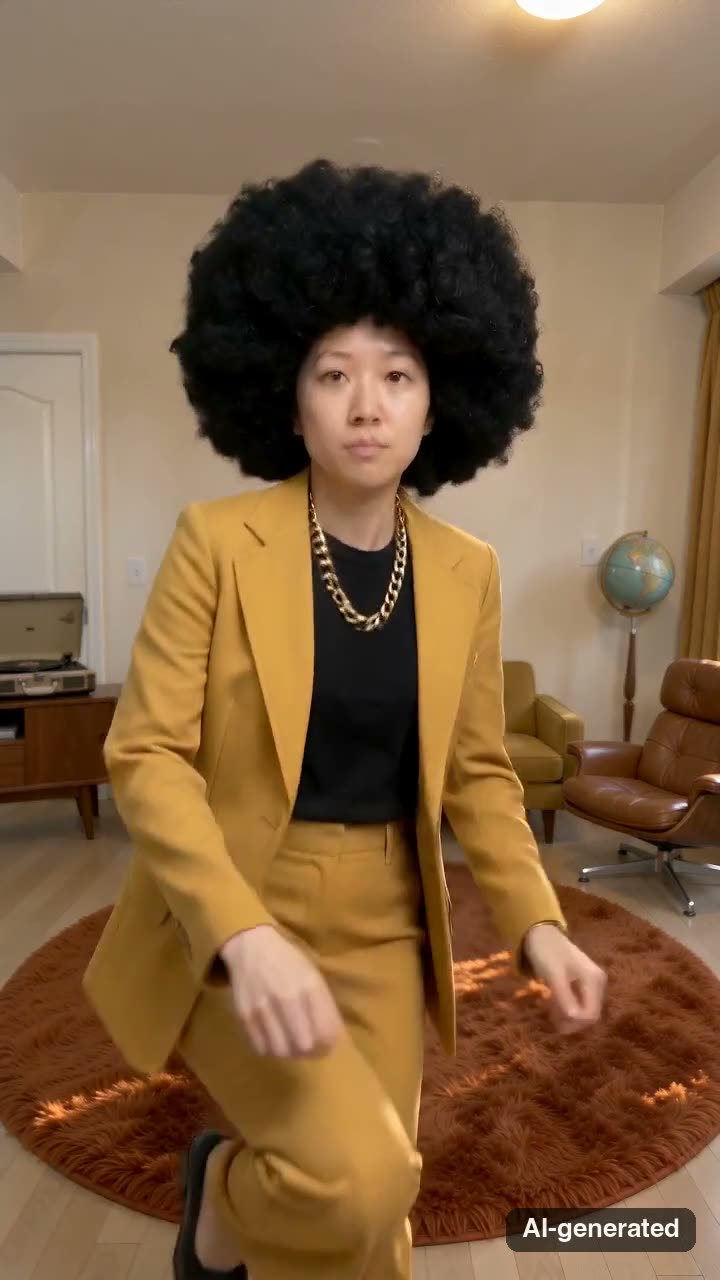



How to put yourself in the dance
- 01
Add your photos
One photo of you for seat 1, the opener. Add up to four friends for the other seats, or leave them to our AI stand-ins.
- 02
Pay once, generate
One video costs 100 credits: your first is $4.99, then the $9.90 pack covers one, no subscription. Rendering takes a few minutes.
- 03
Download and post
Save the MP4. Open TikTok, add the toc toc sound from the app and post: that is how the trend is posted.
1 video = 100 credits · first one $4.99
Credit packs
1 video (12s) = 100 credits · pay once
- Credits never expire
- Failed = free
- No subscription
1 HD Video
100 credits · once per account
$4.99 first video · then $9.90/video
1 Video
100 credits · 1 video
$9.90/video
3 Videos
300 credits · 3 videos
$6.63/video · Save 33%
5 Videos
500 credits · 5 videos
$5.98/video · Save 40%
What photos work best
Do
- One person per photo, up to five photos
- Face well lit and unobstructed
- Head-and-shoulders or knees-up framing
- Put the person everyone should see first in the first photo: they open the video
Avoid
- One crowded group photo: send one photo per person instead
- Heavy filters or sunglasses that hide the face
- Photos where the face is tiny or cropped
- Pets: the crew seats are made for people
Also called
- toc toc dance
- toc toc dance original
- toc toc trend
- toc toc AI dance
- knock knock dance
- Jean Phil dance
- Phil Jhon Jean
- toc toc meme
Toc Toc AI Dance — FAQ
Is this a face swap or an avatar?
Neither. The original clip never goes to the AI: a faceless grey motion guide sets the timing, and a new video is generated from your photos, with you in costume leading the crew. It is not your face pasted onto someone else’s video, and not a cartoon avatar.
What is the toc toc dance trend?
A TikTok dance that took off in late September 2026: hop on one foot in time and knock on an invisible door on the chorus of Patrick Sébastien’s “Toc Toc” (Sud Radio, 29 September 2026). Phil Jean’s crew version, five costumed dancers taking turns at the lens, is the one the AI remakes copy.
How do I make a toc toc video from a photo?
Upload your photo to the generator on this page, add up to four friends if you like, and press Generate. You get a 12-second vertical MP4; post it to TikTok and add the toc toc sound from the app. No editing skills needed.
How many people can be in my video?
Up to five: you and four friends. Your photo takes seat 1 and opens the video; friends fill seats 2 to 5 in the order you add them. Seats you leave empty get AI stand-ins, and the price is the same.
Is it free?
The full video is not free, but you can try a free preview first: a 5-second, 480p clip made from your photo, watermarked and playable on this page only, limited per day. A full 12-second video costs 100 credits. Your first video is $4.99, the $9.90 pack covers one video after that, and bigger packs bring the price per video down. There is no subscription.
What photo should I upload?
One person per photo, face clearly visible, ideally head-and-shoulders or from the knees up. Selfies and casual snapshots work. One crowded group photo works less well than one photo per person.
Does the video include the toc toc song?
No. Your MP4 comes with an AI-made beat. Add the toc toc sound inside TikTok when you post, so the video counts toward the trend. The sample on this page plays the original sound only so you can hear the timing.
How long does it take?
Usually four to six minutes per video. Your video appears right on this page when it is ready, and stays in your account to re-download.
What happens to the photos I upload?
They are used to render your video, the one on this page. We do not sell your photos. They are sent to our AI video provider to generate the clip and are kept with your account so you can re-download your video; you can ask us to delete them at any time. You confirm you have the right to use each photo before generating, and the acceptable-use rules and privacy policy cover the rest.
Can I post my video on TikTok?
Yes, the clip is a standard 12-second vertical MP4, made for TikTok. Add the toc toc sound inside the app, and label it as AI-generated when you post; that is both the trend format and the honest way to share AI video.
Does it work on my phone?
Yes. The generator runs in your browser, no app to install. On a phone you tap to upload a JPG, PNG or HEIC straight from your camera roll, and the finished MP4 downloads like any file.
What if the render fails or looks wrong?
Failed renders are never charged: you only pay for clips you can download. Credits never expire, so nothing is lost while you retry with a better photo.
Is this site affiliated with TikTok?
No. This is an independent tool. The toc toc dance is a user-created trend, and this site is not affiliated with TikTok, the original clip’s creator, or the song’s rights holders; the original clip is linked, not hosted, here.
Your turn. One photo.
Your photo, up to four friends, one button: a 12-second clip to post with the toc toc sound tonight.
Put me in the dance