
What Is the “How I Become a Millionaire” AI Skit? The Beats, the Captions, and How to Make One
The “how I become a millionaire” AI reaction skit explained: what the clip shows, how to add the question and reply as captions, which photos work, and how to make an 8-second version from one photo and label it as AI.
 Theo Marchetti
Virtual editorial column · Meme history and origins
CircleAIDance editorial content; the profile image is AI-generated and does not represent a real customer, independent reviewer, or named human expert.
AI-assisted explainer written on November 12, 2026 from how the effect works on our own generator; it cites no search volumes, dates or competitor figures. The sample clip and photo are AI-generated, and the reply lines are jokes, not advice.
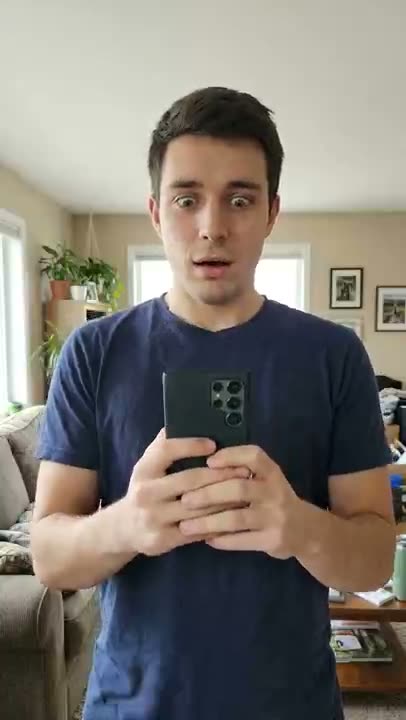
The “how I become a millionaire” AI skit is a short reaction clip. Someone hopefully asks an AI chatbot on their phone how to become a millionaire, reads the reply, and their smile freezes into disbelief. The question and the reply are captions added afterwards; the video itself only shows the person reading the phone.
What happens in the clip?
Four beats, in order:
- Hopeful half-smile. The phone is held up, back toward the camera, and the face says good news is coming.
- Frozen smile. The eyes lock onto the screen and the smile stops moving.
- Disbelief. The phone drops a little and the eyes come up over its top edge, wide.
- A slow look up. The person looks into the camera and blinks once.
The camera does not move, and the phone screen is never shown. The words live in the captions, not in the video.
How do you make a “how I become a millionaire” AI video?
Upload one clear chest-up photo to the millionaire AI page and press generate. The AI keeps the face and clothes from your photo and plays the four beats as an 8-second vertical clip, with clean space left at the bottom of the frame. It costs 30 credits, and failed renders are never charged. The clip has no sound baked in and no words in it.
How do you add the question and the reply?
In your own video editor, add two caption lines in the clean space at the bottom: the question on the first line, the AI chatbot’s reply on the second. Let the reply appear just as the smile freezes, around the two-second mark, so the reaction lands on it.
Reply lines you can try, all of them jokes:
- “Get a job.”
- “Save some money first.”
- “Step one: stop asking me.”
- “Have you tried a lemonade stand?”
These are skit lines, not financial advice, and nothing on this page promises you will earn money.
Which photo works best?
A sharp, well-lit photo of one person from the chest up, facing the camera. A phone in hand with its back to the camera helps. Sunglasses, heavy filters, and small faces in a group shot work poorly. Only use photos of yourself or adults who agreed, and no celebrities.
Do you have to label it as AI?
Yes. The clip is AI-generated, so mark the post as AI-generated when you share it.
For a pose trend instead, see what the bicep heart trend is, the baby mustache AI trend, or the Bow Bow Bow dance.
Related guides
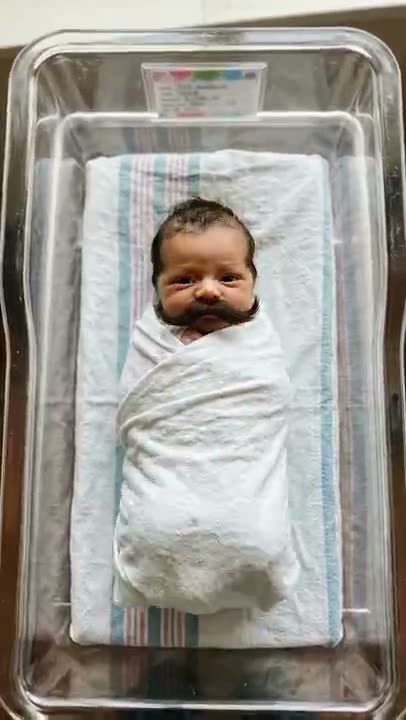
What Is the Baby Mustache AI Trend? How the Clip Works and How to Make One
The baby mustache AI trend explained: what the newborn-with-a-mustache clip is, what happens in it, which photos work, whether you can use your own baby or a pet, and how to label it as AI.
Theo Marchetti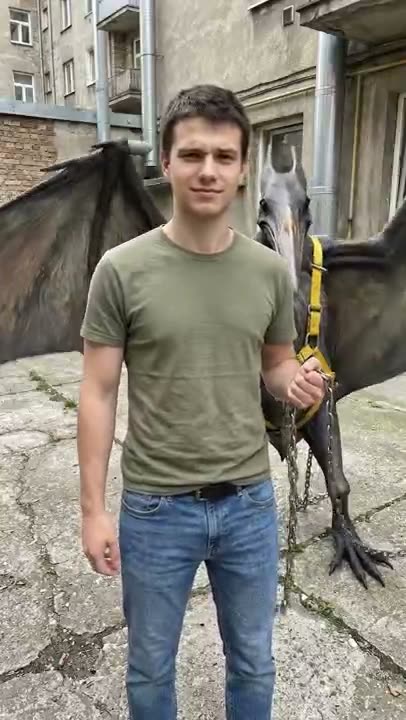
What Is the Mexico Pterodactyl AI Video? The Beats, the Caption, and How to Make One From a Photo
The Mexico pterodactyl AI video explained: what the walk-the-pterodactyl clip shows, the beats in order, which photo works, and how to turn one photo of yourself into an 8-second clip and label it as AI.
Theo Marchetti
What Is the Bow Bow Bow Dance? The Moves, Step by Step, and How to Make One From a Photo
The Bow Bow Bow dance explained: what the point-and-bounce dance is, the moves beat by beat, which photo works, and how to turn one photo of yourself into an 8-second clip and label it as AI.
Theo Marchetti
What Is the Save Yourself AI Trend? How the Clip Works and How to Make One
The save yourself AI trend explained: what the cliff-rescue clip is, what happens in it, how one photo or two photos (old me / new me) work, which photos to use, and how to label it as AI.
Theo Marchetti
Photo to Dance Video: How to Turn One Picture Into a Toc Toc Clip
A practical guide to the one-photo-to-dance workflow: how to choose a photo (single subject, full body, lighting, framing), what to avoid, and how to fix a result that drifts — for a 12-second vertical toc toc video at 100 credits.
 Maya Chen